
Tips & Tricks
The Claude Power-User Moves 90% of Business Owners Are Missing
A video walking through Claude's actual business features hit 655,000 views in eight days. Not a viral stunt, not a celebrity cameo. Just someone showing how to use a piece of software correctly. That number tells you something: a lot of p…
June 4, 2026 · 7 min read
The Claude Power-User Moves 90% of Business Owners Are Missing
A video walking through Claude's actual business features hit 655,000 views in eight days. Not a viral stunt, not a celebrity cameo. Just someone showing how to use a piece of software correctly. That number tells you something: a lot of people suspect they're leaving something on the table, and they're right.
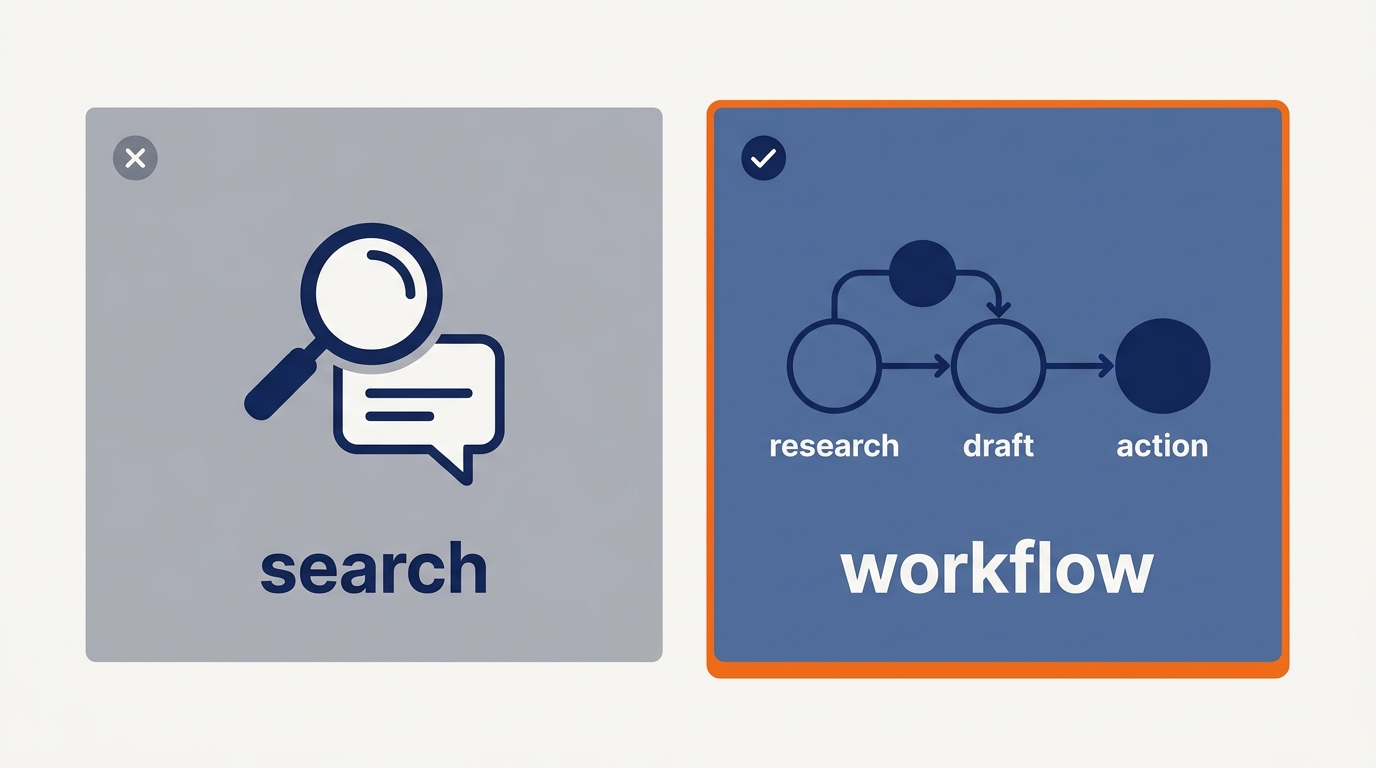
Most small business owners use Claude the same way. They open a tab, type a question, read the answer, close the tab. It's a smarter search engine in their hands. Meanwhile, a smaller group is using the same subscription to run whole workflows, connect live data, and have Claude work inside their actual files without writing a single line of code.
This post covers the specific moves that separate those two groups.
Why "Just Chatting" Is the Worst Way to Use Claude
When you treat Claude like a search bar, you're starting from zero every single time. No memory of your business, no knowledge of your products, no context about how you like things done. You type, you get a generic answer, you spend ten minutes editing it into something usable.
That's not a Claude problem. That's a setup problem.
The features that actually save time, Projects, Connectors, Skills, and now Cowork, are built specifically so you don't have to re-explain yourself every session. Once you set them up, Claude works more like a trained employee and less like a random intern you grabbed off the street.
Projects: Your Persistent Business Brain
Projects is the first thing any business owner should set up. It's Claude's version of a dedicated workspace. You create a project, drop in your context (brand voice docs, SOPs, product descriptions, client background), and every conversation inside that project has access to all of it automatically.
Here's what that looks like in practice. Say you run a 12-person HVAC company. You create a project called "Customer Communications." You upload your service area list, your pricing tiers, your seasonal promotion schedule, and three examples of emails your best tech writes to customers. Now when you need a follow-up email for a no-show appointment, you don't describe your company. You just say "write a follow-up for a missed appointment, residential customer, first offense." Claude already knows the rest.
That's the difference between a 45-second task and a 4-minute task, multiplied across every communication your business sends.
Connectors: Live Data Without the Copy-Paste Grind
Connectors let Claude pull information directly from tools you're already using. Google Drive, Notion, GitHub, and a growing list of others. Instead of downloading a file, attaching it, and explaining what it is, Claude can just go get it.
For a business owner, the practical use case is obvious. Your sales pipeline lives in Notion. Your project notes live in Drive. Every time you want Claude to help you draft a client update or analyze where a deal stands, you used to copy everything over manually. With Connectors, you point Claude at the source and it reads it directly.
The time savings compound fast. If you're doing that copy-paste dance three times a day, you're probably burning 20 to 30 minutes on friction that shouldn't exist.
Skills: 31 Pre-Built Workflows for Small Businesses
This one is brand new and honestly underestimated. Anthropic just released 31 pre-built Skills inside Claude, specifically designed for small businesses. These are purpose-built workflows, not generic prompts. Things like invoice drafting, meeting summaries, competitor research formats, and customer feedback analysis.
Think of Skills as templates that have already figured out the prompting logic for you. Instead of spending an hour trying to get Claude to summarize a customer support thread the way you want it, you use the Customer Feedback skill and it already knows the structure.
The 31 small business Skills cover a wide range of common tasks. You're not going to use all 31. But if even five of them match things you do weekly, you've just automated a meaningful chunk of your week without hiring anyone or building anything custom.
Cowork: Claude in Your Files, Not Just Your Browser
This is the most recent and most significant shift. Anthropic launched Cowork as part of Claude Desktop, and it changes the fundamental interaction model. Instead of you bringing information to Claude, Claude can now work inside your actual files on your computer.
VentureBeat described it as extending the power of Claude Code (which was already doing this for developers) to non-technical users. No coding required. Claude can open a document, edit it, cross-reference another file, and save the output. The whole thing was apparently built in about a week and a half, mostly using Claude itself.
For a business owner, this means you can tell Claude something like "look at the Q2 sales report in my Downloads folder, compare it to the Q1 report next to it, and write me a one-page summary of where we're trending." Claude does the file work. You review the output.
That's a task that used to take 30 to 45 minutes of your time. With Cowork set up correctly, it's closer to five minutes of supervision.
A Real Workflow Stack Worth Copying
Here's a concrete example of how these features work together for a small service business.
Imagine you run a 20-person marketing agency. Your typical Monday morning used to look like this: open four different tabs, pull last week's client reports, copy the numbers into a doc, write status updates for three clients, send them out. Maybe 90 minutes of work that felt important but wasn't actually strategic.
With a proper Claude setup, Monday morning looks like this instead. Your client folders are connected via Google Drive Connectors. You have a Project for each major client with their goals, tone preferences, and historical context already loaded. You use a reporting Skill to structure the output consistently. You ask Claude to pull the numbers from each Drive folder and draft the three status updates in each client's preferred format.
You spend 15 minutes reviewing and personalizing. The other 75 minutes are yours.
That's not a hypothetical. That's the workflow that 655,000 people watched someone walk through and thought, "I need to be doing that."
The Setup Investment Is Small
Here's the part people overthink. Getting this infrastructure in place is not a multi-week project. A basic Projects setup with your core context documents takes maybe two hours the first time. Connectors to your most-used tools take another hour. Picking your five most useful Skills takes 30 minutes.
You're looking at half a day of setup work to reclaim hours every single week going forward. Most business owners I talk to spend more time than that in meetings that could have been emails.
The owners who aren't doing this aren't lazy. They just don't know the features exist or assume they're too complicated to set up. They're neither. They're just new, and new things have a bad habit of sitting undiscovered until someone points at them directly.
Start Here
If you're going to do one thing after reading this, set up a Project. Pick one recurring task where you're constantly re-explaining context to Claude. Load that context into a Project once. Use it for a week. That single move will show you more value than any amount of reading about AI.
Then add Connectors for whatever tool holds your most-used business data. Then explore the 31 small business Skills and pick the five that match your actual work.
Build from there.
If you want practical breakdowns like this every week, tools that are actually worth your time, real numbers, and workflows you can copy without a computer science degree, subscribe to the Cognuvi newsletter at cognuvi.com/newsletter. No noise, no hype, just the stuff that works.
And if you want to talk through what a Claude setup would actually look like for your specific business, you can book a free 30-minute discovery call at cal.com/cognuvi/discovery. We'll figure out whether it makes sense and what to build first.
More from this thread (Tips & Tricks)
- The 60-Minute Claude Setup That Runs Your Back Office — May 30, 2026
- Your Competitors Are Showing Up in ChatGPT. You Probably Aren't. — May 29, 2026